Know what is using your camera and microphone, and stop it in one click.
Discrity lives in your menu bar. It shows which app is using your camera and microphone, tells you the moment one of them turns on, and keeps an eye on your Mac while you are away.
See it, hear about it, look it up later.
Four things Discrity does, and a few smaller ones.
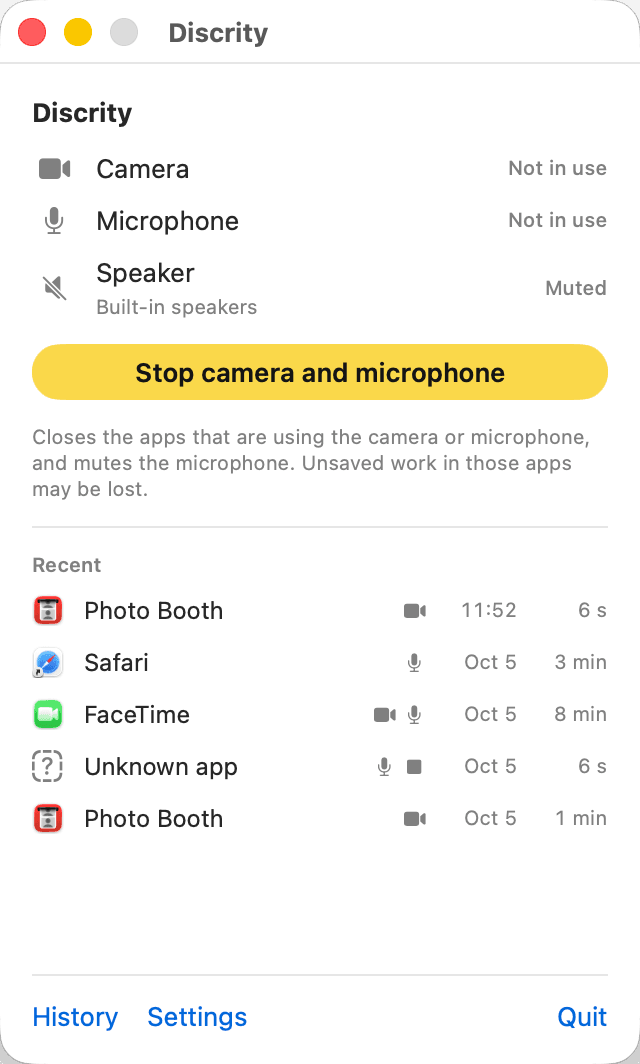
See what is on, and stop it
Open Discrity from the menu bar. It shows whether your camera and microphone are on, which app is using them, and what used them recently.
A warning when something turns on
Within two seconds a notice names the app. You stop it or trust it with one click, and decide per app how loud Discrity should be.
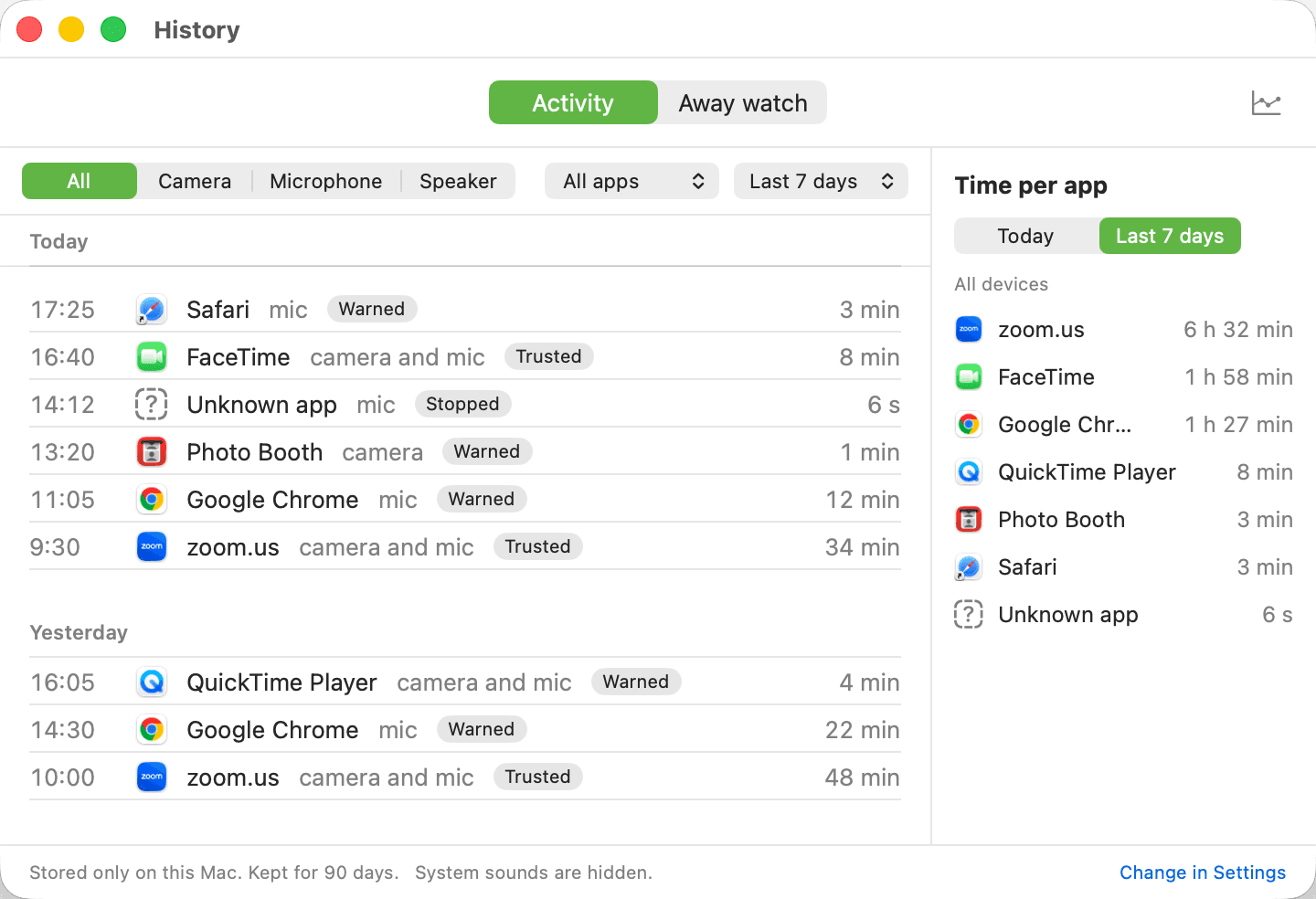
A history you can check
Every use is kept in a plain list on your Mac, with the app, the time and the duration.
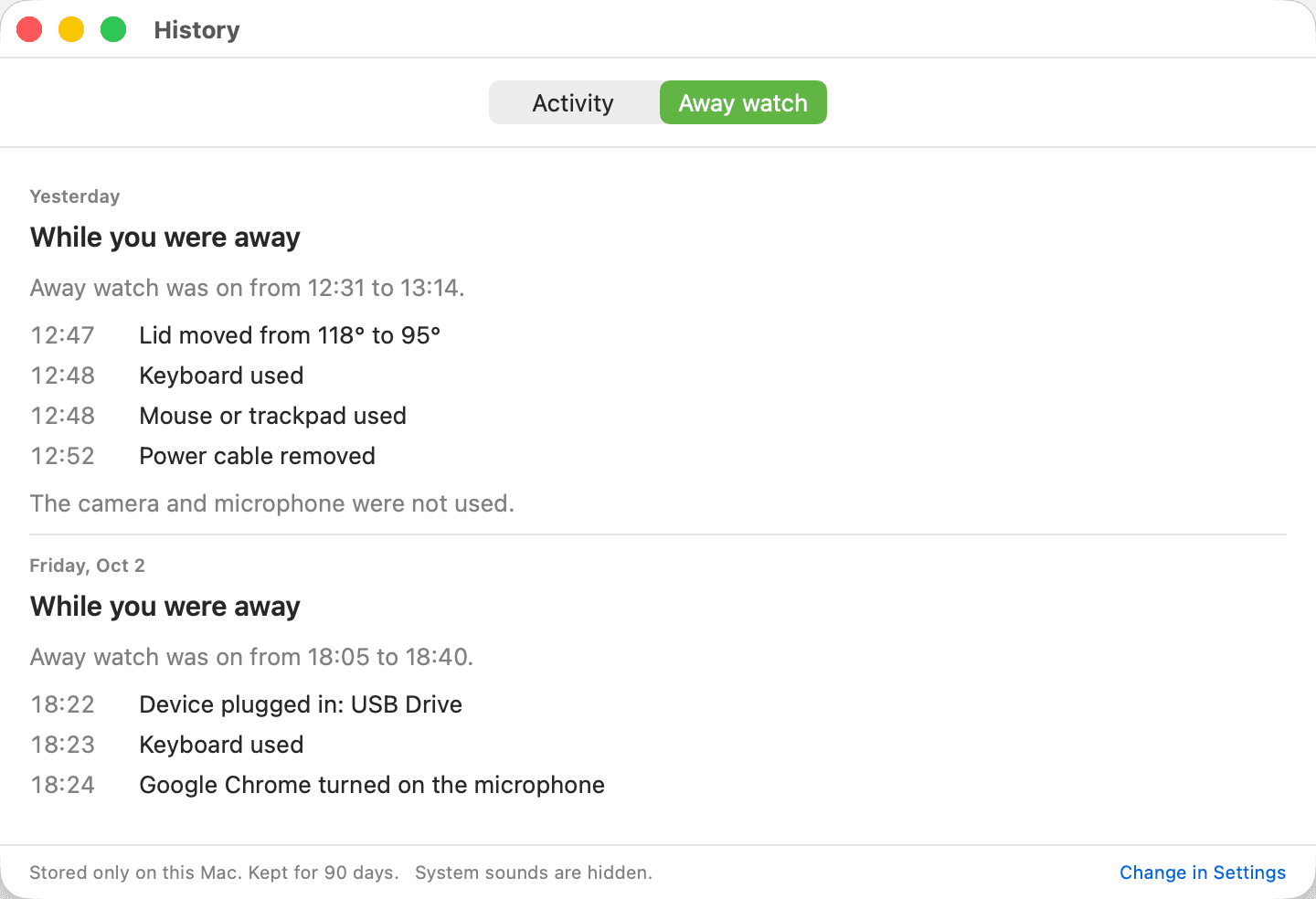
Away watch for the lock screen
While your screen is locked, Discrity notes every sign that someone touched your Mac, and shows you a report when you are back.
Also included
Speaker guard
When your headphones disconnect, the speaker is muted, so your meeting does not play to the whole room.
System names explained
A part of macOS with a name nobody knows comes with a note on what it is. Discrity checks that Apple really signed it.
Trust, app by app
Tell Discrity which apps you trust and which should always warn. An app can be both: trusted, and you still hear about it every time.
A privacy app that keeps its own promises.
An app that watches your camera and microphone has to be beyond doubt itself. These are our rules.
Your history stays on your Mac
No account, no upload, no analytics. Discrity goes online for two things only: to check your license key, and to look for a new version when you ask.
Never the content
Discrity sees that the camera is on, not what it shows. It records no audio, no video, no screenshots and no typed text.
Plain language
It says “Zoom turned on the camera” in words anyone can read. When it cannot tell which app it is, it says so.
Honest about limits
Discrity warns and stops after an app turns something on, not before. Only macOS can refuse an app the camera. It is not an antivirus.
One price. Yours to keep.
Try Discrity free for 7 days. Then buy it once. No subscription, no account, nothing to renew.
Good questions, plain answers.
- Why can't I find Discrity in the Mac App Store?
- Apps in the Mac App Store have to run in a sealed-off area of the system. From there an app cannot see which other app is using your camera, and it cannot close that app. That is exactly Discrity's job, so we sell it here instead.
- Is it safe to install an app from outside the store?
- Discrity is signed with our Apple developer certificate, and Apple has checked it for malicious software. macOS confirms this the first time you open it. You do not have to change any security setting.
- Can Discrity block the camera before an app uses it?
- No. Only macOS can refuse an app the camera or microphone, in System Settings. Discrity tells you immediately when something turns on, and stops it with one click.
- How does the free trial work?
- Download Discrity and use every feature for 7 days. After that it stops watching until you enter a license key. Your history stays where it is.
- Can I move my license to another Mac?
- Yes. One key works on one Mac at a time. Remove it from the old Mac in Settings, then enter it on the new one.
- Does Discrity send anything anywhere?
- Your history never leaves your Mac. The app goes online for two things only. Once a day it asks the shop whether your license key is still valid, and sends only the key. And it looks for a new version when you press “Check for updates”. During the free trial it contacts nobody by itself.
- How do I get updates?
- In Settings, press “Check for updates”. If there is a new version, download it from this page and replace the old app. Your license and your history stay.